Directory Root Navigation
Seamlessly browse documentation trees. Scrawler automatically highlights and parses index.md files for instant structure mapping.

Scrawler provides a powerful, clean experience for reading, editing, and managing .md files and documentation trees with built-in diff previewing.
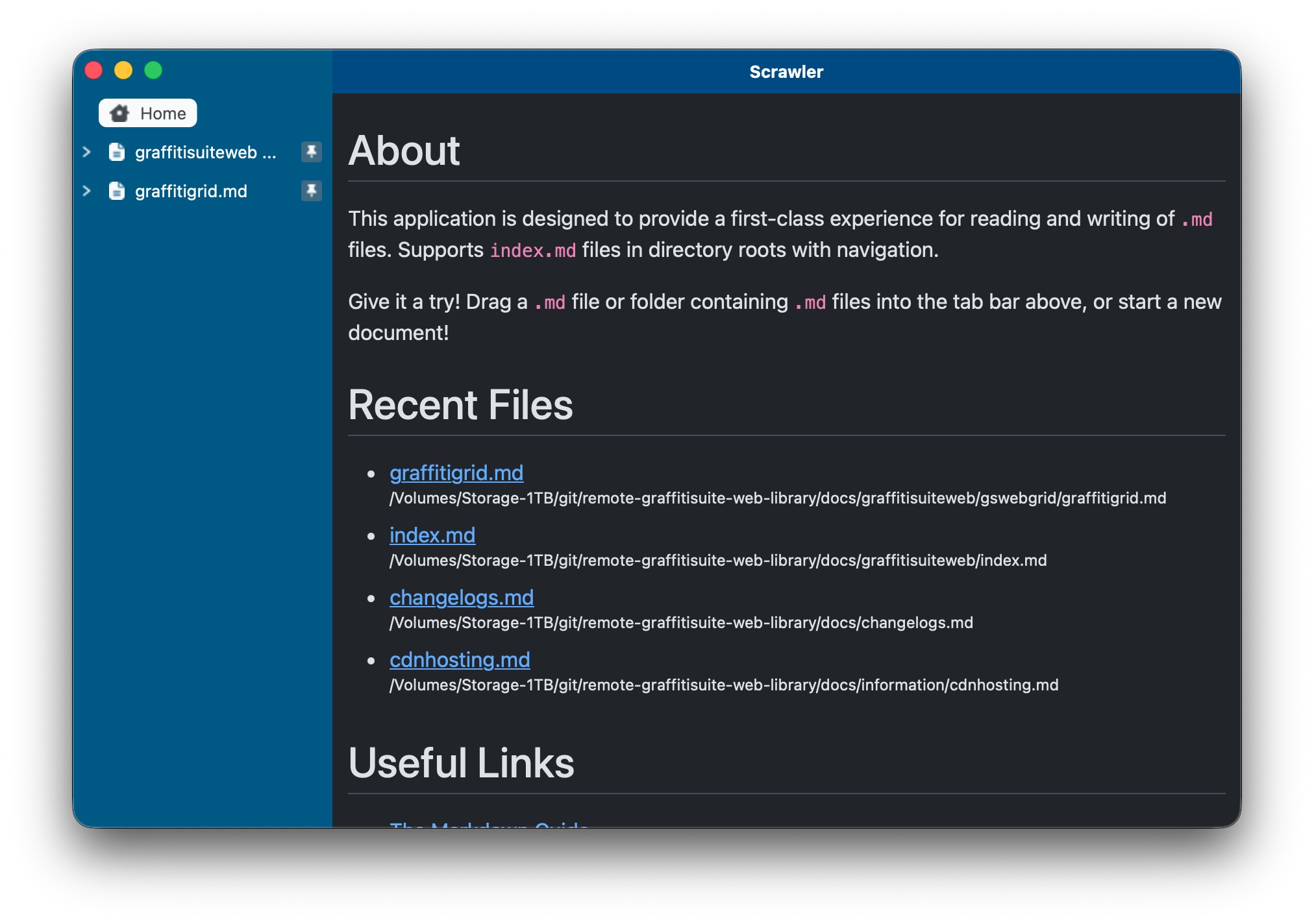
Everything you need to navigate, edit, compare, and share Markdown documentation.
Seamlessly browse documentation trees. Scrawler automatically highlights and parses index.md files for instant structure mapping.
Format messy Markdown instantly with built-in source prettifying that cleans up line breaks, list indentation, and syntax formatting in one click.
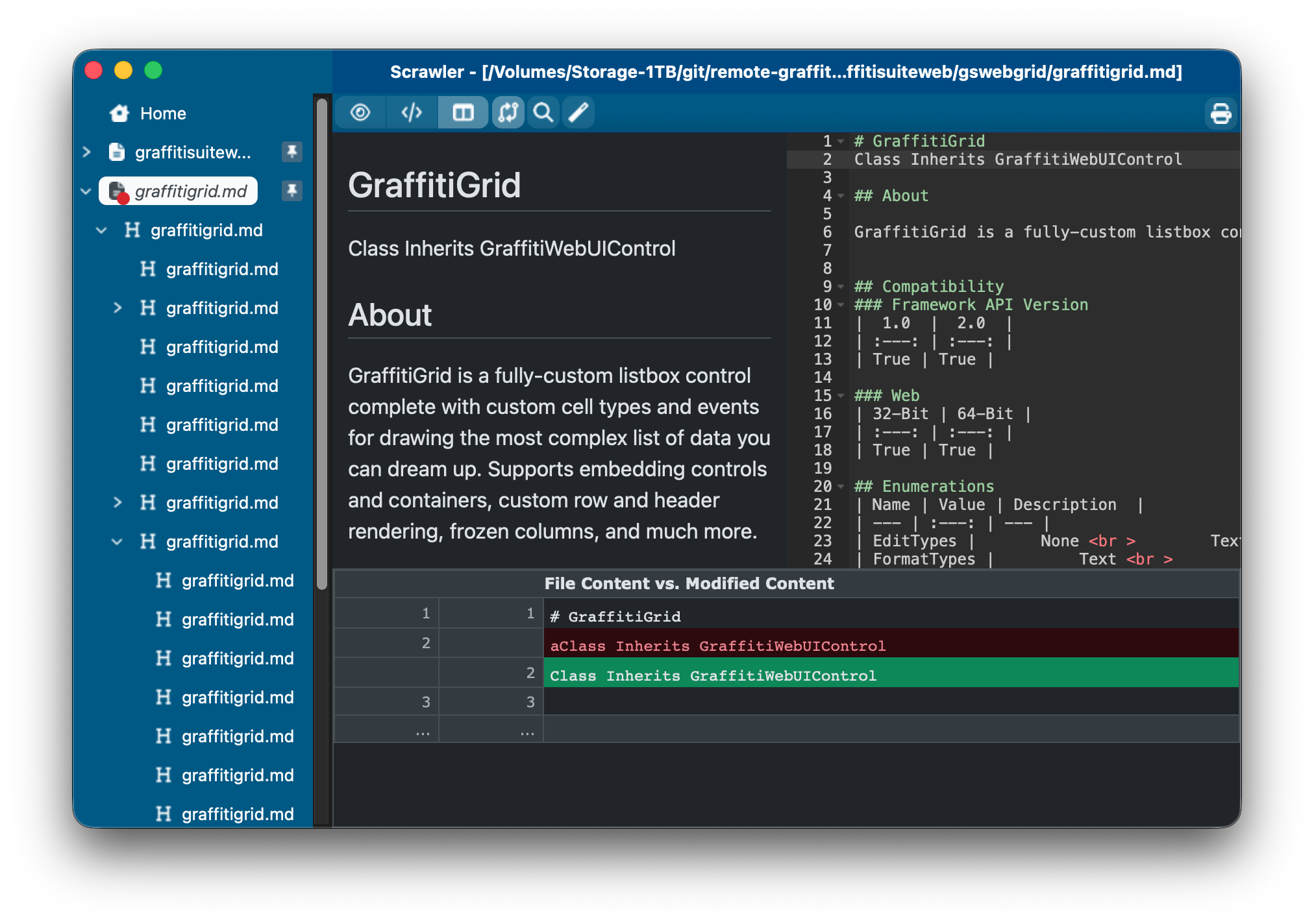
Instantly compare file content vs. modified content in a clear, side-by-side visual diff editor to keep track of uncommitted changes.
Quickly access your recent documents from the home dashboard or simply drag-and-drop any file or workspace folder straight into the tab bar.
Switch between full documentation preview, code view and split view, and quick navigation. Designed to keep you focused on writing and editing without clutter.
Share a finished HTML export or build a website that renders your Markdown files.
Export a single document as styled HTML, or start from an index.md file to export its entire documentation folder.
Scrawler preserves the folder structure, copies supporting assets, and updates local document and folder links to point to the exported HTML pages. Open the result in a browser or upload it to your web host.
Generate a responsive documentation framework with folder navigation, content search, and a table of contents. Set your site title, logo, favicon, copyright details, and cache duration in Scrawler.
The generator creates the PHP script, stylesheet, and configuration file. Add your Markdown documents and images, then upload the folder to a PHP-enabled web host. Built-in help walks you through setup and deployment.
Scrawler's interface, home page, and PHP generator help are localized for English (US and UK), French, German, Italian, Spanish, Japanese, Korean, Simplified Chinese, Traditional Chinese, and Russian.
Explore what's included in the Free / Trial version vs. unlocking full power with Pro.
| Features | Free
Get Started
|
Pro / Trial
Full Power
|
|---|---|---|
|
Localized Interface & Help
Localized interface and home page across 11 locales
|
||
|
Markdown Visual Reader View
Browse and render .md documentation trees
|
||
|
Print & Export (Visual View)
Export rendered Markdown to PDF or HTML, or print
|
||
|
Structured HTML Export
Export documentation folders with supporting assets and updated local links
|
||
|
Edit View
Full raw Markdown editor with source prettifying
|
||
|
Side-by-Side View
Simultaneous live preview and source code view
|
||
|
Git Integration
Seamlessly track status, commits, and repository changes
|
||
|
LLM Integration
Power up your document design and editing using OpenAI-compatible local or remote LLMs
|
||
|
File Diffs
Visual side-by-side comparison of content changes
|
||
|
Print & Export (Source & Diffs)
Export raw source files and visual diff comparisons
|
||
|
PHP Framework Generator
Create a configurable PHP documentation site with navigation and content search
|
Send us a message and our team will get back to you shortly.
Download Scrawler today and start managing your documentation projects seamlessly.